If you’re looking for an easy way to build a DTF gang sheet online without expensive software, you’re in the right place.
Most apparel sellers, print shops, and home-based t-shirt businesses want a fast, simple, and free gang sheet builder that works without confusion.
EzDTF Maker makes the entire process beginner-friendly — from designing your gang sheet to printing it as ready-to-press DTF transfers with fast delivery.
This guide shows you how to build a DTF gang sheet online, step by step, using free tools — and how to order it correctly without mistakes.
What Is a DTF Gang Sheet? (Simple Explanation)
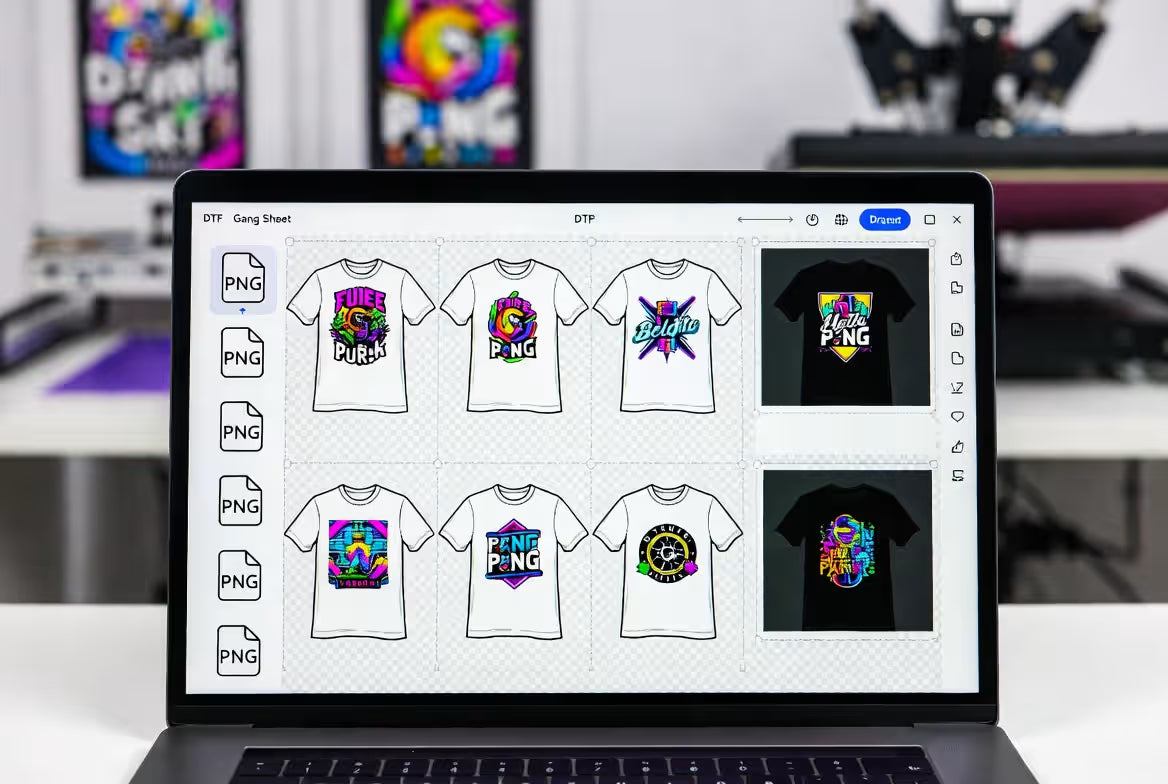
A DTF gang sheet is a single sheet that contains multiple designs arranged together for printing.
Instead of printing each design separately, you place them all on one layout to:
- Save money
- Reduce wasted space
- Print multiple sizes or logos at once
- Scale bulk or repeat orders easily
Gang sheets are widely used by:
- Apparel brand owners
- Etsy & Shopify sellers
- Print shops
- Event merch sellers
- Beginners starting DTF printing
Why Use an Online Gang Sheet Builder Instead of Software?
Traditional design software can be:
- Expensive
- Hard to learn
- Overkill for simple layouts
An online gang sheet builder gives you:
- No software installation
- Free access
- Fast setup
- Clean, print-ready layouts
This is why most EzDTF Maker customers design their gang sheets online before ordering.
How to Build a DTF Gang Sheet Online (Free Method)
Step 1: Choose the Correct Gang Sheet Size
Before designing anything, confirm the size of the gang sheet you plan to order.
Common sizes include:
- Sheet sizes (8.5 × 11, 11 × 17, etc.)
- Custom roll sizes for bulk printing
👉 Always match your canvas size with the exact gang sheet size you’ll order from EzDTF Maker.
Step 2: Create Your Canvas (Free Tool)
You can use a free online design tool like Canva or any browser-based editor.
- Create a custom-size canvas
- Enter your gang sheet dimensions in inches
- Set background to transparent (if possible)
Starting with the correct size prevents scaling issues during printing.
Step 3: Upload Your Designs
Upload all your artwork files:
- Logos
- Front & back prints
- Sleeve designs
- Text graphics
Best file types:
- PNG (recommended)
- Transparent background
- High resolution
👉 Avoid stretching artwork — always resize proportionally.
Step 4: Arrange Designs Smartly
This is where a good gang sheet builder mindset matters.
Tips:
- Rotate designs to save space
- Keep small gaps between designs for easy cutting
- Size artwork based on real garment placement
Examples:
- Left chest logos: ~4″ wide
- Full front prints: scale by shirt size
- Sleeve prints: narrow and vertical
Smart layout = lower cost per print.
Step 5: Export Your Gang Sheet
When finished:
- Download as PNG
- Keep original dimensions
- Do not compress the file
Your gang sheet is now ready to upload and print.
Why EzDTF Maker Is the Best Place to Print Your Gang Sheets
Designing is only half the job. Printing quality matters more.
EzDTF Maker provides:
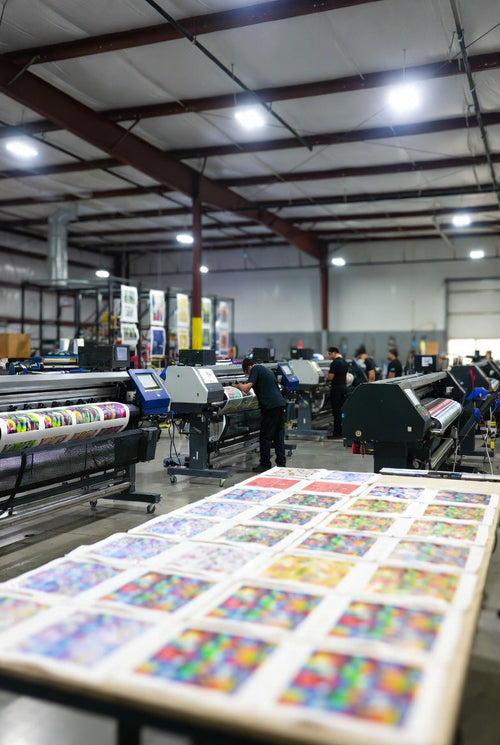
- Professional DTF printers
- Premium film, ink, and powder
- Sharp details & smooth texture
- Ready-to-press gang sheets
- Fast turnaround & reliable shipping
Whether you order one sheet or bulk quantities, quality stays consistent.
👉 DTF Gang Sheets by EzDTF Maker
Who Should Use a DTF Gang Sheet Builder?
A gang sheet builder is perfect for:
- Small apparel brands
- Home-based printers
- Etsy & Shopify sellers
- Bulk merch orders
- Beginners learning DTF printing
If you want maximum flexibility with minimum cost, gang sheets are the smartest option.
Common Gang Sheet Mistakes to Avoid
Before uploading:
- ❌ Wrong canvas size
- ❌ Designs too close to edges
- ❌ Low-resolution files
- ❌ Mismatched dimensions
What you upload is exactly what gets printed — always double-check.
Related Products You Can Order from EzDTF Maker
While ordering gang sheets, many customers also order:
-
Custom DTF Transfers (single designs)
- Ready-to-Press DTF Transfers
-
DTF Supplies & Bundles for printing
-
UV DTF Transfers for hard surfaces
Internal linking these products strengthens SEO and boosts order value.
How to Order Your Gang Sheet from EzDTF Maker
- Upload your gang sheet file
- Select the correct size
- Choose quantity
- Checkout online
- Receive press-ready transfers
No setup fees. No confusion.
👉 Build & Order Your Gang Sheet Now
Final Thoughts: Free Gang Sheet Builder + Reliable Printing
If you want to build a DTF gang sheet online, you don’t need expensive tools or complicated software.
A free online gang sheet builder paired with EzDTF Maker’s professional printing gives you the best results.
Design smart. Print clean. Press with confidence.