Why are family Halloween shirts a good choice for Detroit trunk-or-treats?
Family Halloween shirts give everyone a coordinated look while allowing each person to wear a different garment size, design variation, or personalized name. DTF transfers are particularly useful because the same original artwork can be printed in full color on adult, youth, and toddler garments.
A Detroit trunk-or-treat can involve:
- Parents
- Toddlers
- Kids
- Teenagers
- Grandparents
- Cousins
- Family friends
A single Halloween theme can bring all of those shirts together.
For example:
Dad: “Pumpkin Patrol”
Mom: “Pumpkin Patrol”
Child: “Little Pumpkin”
Toddler: “Mini Pumpkin”
The artwork can remain visually connected while the wording changes.
What family Halloween shirt designs work best for trunk-or-treats?
The best family Halloween shirt designs use one recognizable original theme and then create small variations for parents, kids, and toddlers. Popular concepts include pumpkins, ghosts, skeletons, bats, spiders, fall typography, family names, and playful Halloween phrases.
1. Family Pumpkin Crew
Use an original pumpkin graphic with:
- Mom Pumpkin
- Dad Pumpkin
- Big Pumpkin
- Little Pumpkin
2. Halloween Squad
Use the same original Halloween graphic across every shirt.
Change the text to:
3. Spooky Family
Create an original spooky illustration with each family member's name.
4. Trunk-or-Treat Crew
Add:
“Detroit Trunk-or-Treat 2026”
with an original Halloween graphic.
5. Matching Halloween Shirts
Keep the graphic identical but use different shirt colors for each person.
This is especially useful when family members don't all want to wear the same color.
Can you personalize family Halloween shirts with names?
Yes. DTF transfers are well suited to personalized Halloween shirts because full-color artwork can be combined with names, numbers, family titles, and other original text. Personalized details are useful when several family members want the same Halloween theme without wearing completely identical shirts.
For example:
MOM
DAD
LITTLE BOO
BABY BOO
Or:
Riley — Pumpkin Crew
Jordan — Pumpkin Crew
Ava — Pumpkin Crew
For larger families, personalization also makes it easier to identify everyone's shirt after the event.
How do you create matching Halloween shirts for a whole family?
Start with one original Halloween design, choose the garment color and placement, create size-specific versions for adults and children, and then order the transfers and blanks together or separately. Using one design template keeps the family collection consistent while allowing small changes for each person.
A simple workflow is:
Choose theme → Create original artwork → Select shirt colors → Collect sizes → Order transfers → Press → Inspect → Wear
For a family of six, for example:
Family Member Garment Design Variation PlacementDad Adult tee Dad Pumpkin Full frontMom Adult tee Mom Pumpkin Full frontTeen Youth/Adult tee Spooky Crew Full frontChild Youth tee Little Pumpkin Full frontChild Youth tee Mini Boo Full frontToddler Toddler tee Baby Boo Center front
This approach gives the family a coordinated look without forcing every shirt to have exactly the same artwork.
What shirt blanks should Detroit families use for Halloween shirts?
Choose blank apparel based on the wearer's size, desired fit, garment color, and the type of DTF design you plan to press. EZDTF Maker currently lists DTF-oriented 50/50 T-shirts from $2.25, promo hoodies from $7.99, and LyfeLyke sweatshirts from $6.99 on its blank-apparel page.
For a Detroit Halloween event, common choices include:
Adults:
50/50 T-shirts
Kids:
Youth-compatible T-shirts
Toddlers:
Toddler garments that are suitable for heat pressing
Cold-weather event:
Sweatshirts or hoodies
The important part is not simply choosing the cheapest blank.
The garment should also work with the transfer, fit the wearer, and provide enough printable space for the artwork.
Shop Blank Apparel at EZDTF Maker
How much can family Halloween shirts cost per shirt?
The cost depends on the garment, transfer size, and whether you order individual transfers or optimize several designs on a gang sheet. As an illustration, EZDTF Maker currently lists a 10-foot gang sheet at $54 and its blank 50/50 T-shirts from $2.25, so a well-optimized small design can have a lower transfer cost than a large full-front design.
Here is an illustrative DTF + blank calculation, not a final quote:
Example Transfer Cost Basis Blank Starting Price Approx. Base Cost*Small chest design $54 ÷ 60 designs = $0.90 $2.25 ~$3.15Full-front design $105 ÷ 20 designs = $5.25 $2.25 ~$7.50Individual by-size transfer Depends on selected size $2.25+ Varies
*Before shipping, taxes, garment upgrades, and other order-specific costs. Gang-sheet capacity depends on actual artwork dimensions.
This is why the design size matters.
A family ordering six large full-front graphics will have a different transfer cost than a family using six small chest designs.
Is a gang sheet useful for family Halloween shirts?
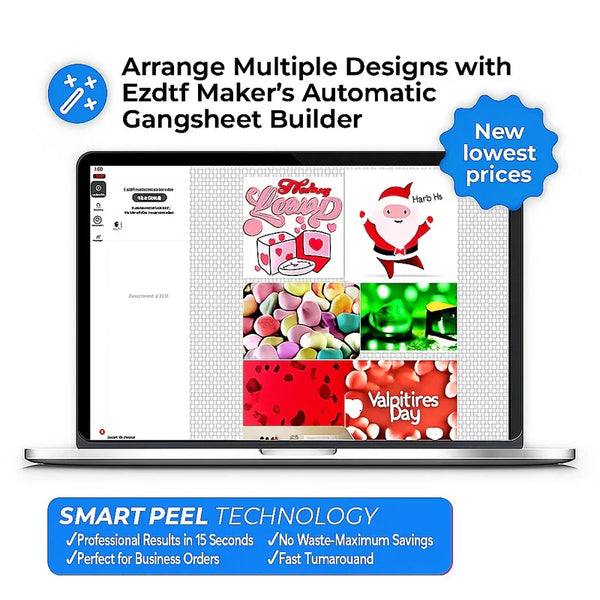
Yes. A gang sheet can be useful when a family needs several Halloween designs because multiple compatible designs can be arranged on one sheet before printing. EZDTF Maker's Gang Sheet Builder lets customers resize, duplicate, arrange, and optimize artwork before ordering.
For example, a family could arrange:
- Mom design
- Dad design
- Two child designs
- Toddler design
- Family-name design
onto one organized sheet.
This can be particularly useful when the artwork is different but the transfer sizes are compatible.
When should you order individual DTF transfers instead of a gang sheet?
Choose individual DTF transfers by size when each family member needs one specific design and you don't need to arrange multiple graphics together. A gang sheet is generally more useful when you have several designs or repeated graphics that can be optimized on one sheet.
Choose DTF Transfers by Size when:
- You have one or a few designs.
- You already know the required dimensions.
- Each design needs a different size.
- You want pre-cut individual transfers.
- You don't want to build a sheet.
Choose a Gang Sheet when:
- Everyone has a different design.
- You're ordering several shirts.
- You want to optimize printable space.
- You're comfortable cutting individual transfers after receiving the sheet.
EZDTF Maker currently describes its By Size option as particularly suitable for single designs, first-time users, and specific sizing.
Order DTF Transfers by Size from EZDTF Maker
What DTF transfer size should you use for kids' Halloween shirts?
Kids' Halloween shirts usually need smaller artwork than adult shirts, so the design should be sized according to the garment's printable area rather than simply using an adult full-front dimension. Always measure the actual garment before pressing a large transfer.
Kids' DTF Placement Starting Guide
Garment Suggested Placement Starting Width Important NoteAdult Full front 10–12" Check garment widthYouth Full front 7–9" Keep artwork proportionalToddler Center front 5–7" Measure before pressingInfant Center front 4–5" Use an appropriate garment and transfer
These are starting points, not universal specifications.
A six-inch design on a toddler shirt can look much larger than the same design on an adult shirt.
Before cutting or pressing, place the transfer over the garment to check its visual proportion.
How should you place Halloween transfers on children's shirts?
Place children's Halloween transfers high enough to look balanced but low enough to remain visually centered, and always check the actual garment size before pressing. For toddler and youth shirts, reducing the transfer width is often more important than simply copying an adult placement.
For a simple front design:
Adult: approximately 3–4 inches below the collar area
Youth: slightly lower depending on the neckline
Toddler: use the garment itself as the measurement guide
Don't blindly copy adult placement onto a toddler shirt.
The printable area is much smaller.
What safety precautions should you take when pressing kids' Halloween shirts?
Keep children away from the heat press while it is heated or operating, and allow the garment and transfer to cool completely before handling it. A heat press can reach temperatures around 300°F or higher, so pressing should be done by a responsible adult on a stable work surface away from children.
For DTF transfers, EZDTF Maker's current guide lists 310–320°F for 100% cotton, 12–15 seconds, medium pressure, and cold peel; other fabrics use different settings.
Child-safety checklist
- Keep children away from the heat press.
- Keep the press on a stable surface.
- Keep cords away from walkways.
- Don't let children touch the platen.
- Don't allow children to handle hot garments.
- Let transfers cool completely before peeling.
- Follow the garment and transfer instructions.
Never involve children in the actual heat-pressing step.
They can help choose designs, colors, and shirt assignments instead.
What heat press settings work for family Halloween shirts?
The correct settings depend on the fabric, but EZDTF Maker currently recommends approximately 310–320°F for 100% cotton, 12–15 seconds, medium pressure, and a cold peel. Polyester, 50/50 blends, nylon/spandex, denim, and canvas require different settings.
For a typical cotton family T-shirt:
Temperature: 310–320°F
Time: 12–15 seconds
Pressure: Medium
Peel: Cold
After pressing, allow the transfer to cool before peeling.
EZDTF Maker also recommends a final press with parchment paper for added durability and a softer feel.
How durable are DTF Halloween shirts?
EZDTF Maker states that its DTF transfers are tested for 100+ washes when properly applied and cared for. Actual garment durability can vary depending on fabric, pressing, washing, drying, and care conditions.
For a family Halloween shirt that you want to reuse next year, proper care matters.
After wearing the shirts:
- Follow the garment care instructions.
- Avoid unnecessarily harsh washing.
- Turn printed garments appropriately for washing.
- Avoid excessive heat when drying.
- Don't iron directly over the printed transfer.
A good Halloween shirt doesn't have to be a one-night-only garment.
Can you create matching Halloween shirts without using copyrighted characters?
Yes. Families can create original Halloween shirts using pumpkins, ghosts, bats, skeleton-inspired artwork, spiders, fall leaves, names, family phrases, and original illustrations without copying licensed characters. Original artwork also gives the family more control over colors, names, and personalization.
For example, instead of copying a famous cartoon character, create:
Original smiling pumpkin + family name + 2026
Or:
Original ghost illustration + “Detroit Trunk-or-Treat Crew”
Or:
Original bat pattern + individual family names
Avoid using Disney, NFL, Marvel, sports-team, movie, or other licensed characters and logos unless you have the appropriate rights.
What Halloween shirt ideas work for parents and kids?
The best parent-and-child Halloween shirts use a common visual theme while changing the wording for each family member. This lets parents and children coordinate without making every shirt identical.
Try:
Pumpkin Family
Dad: Pumpkin Boss
Mom: Pumpkin Queen
Child: Pumpkin Jr.
Toddler: Tiny Pumpkin
Ghost Family
Dad: Big Boo
Mom: Boo Crew
Child: Little Boo
Toddler: Baby Boo
Trunk-or-Treat
Parents: Trunk-or-Treat Crew
Kids: Trick-or-Treat Crew
Toddler: Treat Crew
Spooky Family
Parents: Spooky Squad
Kids: Mini Spooky Squad
These designs can all be created with original artwork.
Can couples use the same Halloween shirt design?
Yes. Couples can use matching Halloween shirts with identical artwork or complementary designs that share the same colors and theme. DTF transfers make it easy to create separate versions such as “His & Hers,” “Pumpkin King & Pumpkin Queen,” or other original Halloween concepts.
Couple designs can then become part of a larger family set.
For example:
Dad — Pumpkin King
Mom — Pumpkin Queen
Son — Little Pumpkin
Daughter — Mini Pumpkin
One family theme.
Four variations.
Can Detroit families order Halloween shirts from EZDTF Maker?
Yes. Detroit customers can order DTF transfers online from EZDTF Maker, with the transfers produced in Chicago and shipped to customers. EZDTF Maker's Detroit page specifically markets DTF transfers to Detroit-area customers and links shoppers toward its gang sheet and transfer-by-size options.
For a Detroit family, the process is:
Choose design → Upload artwork → Select transfer → Order → Receive → Press
If you already have your blank shirts, you can simply order the transfers.
If you need both garments and transfers, EZDTF Maker's blank-apparel page says customers can combine blanks and DTF transfers in one order.
How fast can Detroit families get their Halloween DTF transfers?
EZDTF Maker currently advertises same-day shipping for qualifying orders placed before 11 AM CT, but same-day shipping is not the same as same-day delivery to Detroit. Families should leave time for carrier transit and heat pressing before the trunk-or-treat event.
For a deadline-driven Halloween order:
Order before cutoff → Chicago production → shipping → Detroit delivery → pressing → event
Don't wait until the day before the event if you can avoid it.
Holiday carrier volume can also affect delivery timing.
Should you order a DTF sample before making all the family shirts?
A sample can be useful if you're testing a new design, garment, placement, or pressing process before producing the whole family set. EZDTF Maker currently lists a custom DTF sample pack at $10.
A sample is especially useful if:
- You're using a photo.
- You're testing a detailed design.
- You're unsure about transfer size.
- You're using a new blank.
- You're pressing DTF for the first time.
Product Card — $10 Sample Pack
Custom DTF Sample Pack
Test your design before ordering the complete family Halloween set.
CTA: Order a Sample
Get the $10 Custom DTF Sample Pack
Can you order finished family Halloween shirts without a heat press?
Yes. Families that don't own a heat press can choose finished printed apparel instead of buying loose transfers and pressing the shirts themselves. EZDTF Maker's site includes finished apparel options through its broader product catalog, while its DTF workflow is designed for customers who want to apply transfers themselves.
This can be easier for:
- Busy parents
- Party planners
- School groups
- Family reunions
- Trunk-or-treat organizers
If you want to DIY the process, choose transfers.
If you don't want to operate a heat press, choose a finished-shirt option.
Can UV DTF be used for Halloween family accessories?
UV DTF is designed for hard surfaces rather than traditional fabric T-shirts, so it can complement a family Halloween apparel order for items such as cups, tumblers, or other compatible hard surfaces. EZDTF Maker offers UV DTF transfers and UV DTF gang sheets separately from its standard garment DTF products.
For example, a family could coordinate:
Halloween shirts + matching tumblers
using standard DTF for the shirts and UV DTF for compatible hard surfaces.
Shop UV DTF Transfers from EZDTF Maker
How should a Detroit family plan its trunk-or-treat shirt order?
A Detroit family should finalize the Halloween theme, collect everyone's sizes, approve the artwork, decide between individual transfers and a gang sheet, and order early enough to allow for Chicago production, shipping, pressing, and final inspection.
Family Halloween order checklist
1. Choose your theme
Pumpkins, ghosts, bats, spooky typography, or another original concept.
2. Count everyone
Don't forget grandparents, toddlers, or cousins if they're joining the group.
3. Collect sizes
Write down every person's size before ordering.
4. Choose garment colors
Black, orange, white, gray, or another coordinated palette.
5. Choose transfer sizes
Don't use one adult size for every family member.
6. Decide on a gang sheet
Use one when several designs can be efficiently arranged together.
7. Order
Submit the final artwork.
8. Press
Follow the appropriate fabric settings.
9. Inspect
Check every shirt before leaving for the trunk-or-treat.
Family Halloween Shirt Ideas for Detroit Trunk-or-Treats
If you're still deciding on the design, these original concepts can give your family a starting point.
Detroit Pumpkin Crew
“Detroit Pumpkin Crew — 2026”
Original pumpkin graphic with different family-member titles.
Trunk-or-Treat Squad
“Trunk-or-Treat Crew”
with individual names underneath.
Spooky Family
A large original ghost, bat, or pumpkin graphic with the family surname.
Little Boo Collection
Parent shirts say:
Big Boo
Kids say:
Little Boo
Toddler says:
Tiny Boo
Halloween Night Family
Use an original moon, pumpkin, and bat composition with:
Halloween Night — Detroit 2026
Family Name Design
“The [Family Name] Halloween Crew”
with individual names on the sleeve or back.
For a Detroit trunk-or-treat, the easiest approach is to design the family collection first and choose the production method second.
If you're pressing the shirts yourself, start with EZDTF Maker's DTF Transfers, use the Gang Sheet Builder when you have multiple designs, and pair the transfers with EZDTF Maker blank apparel.
For families that want matching Halloween accessories, EZDTF Maker's UV DTF collection can extend the same original design theme to compatible hard surfaces.