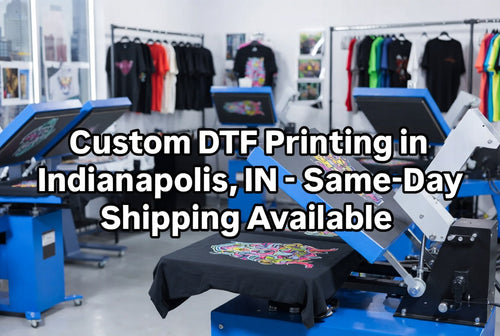
What should you do if you need same-day DTF printing near Detroit?
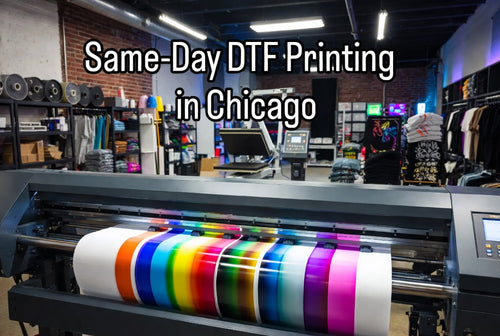
If your Detroit Halloween order is urgent, submit a print-ready design before the same-day production cutoff, choose the appropriate DTF transfer size, and account for shipping from Chicago to Detroit before promising a customer a finished-shirt deadline. EZDTF Maker currently states that orders placed before 11 AM CT qualify for same-day shipping or pickup.
The important distinction is:
Same-day printing ≠ same-day delivery.
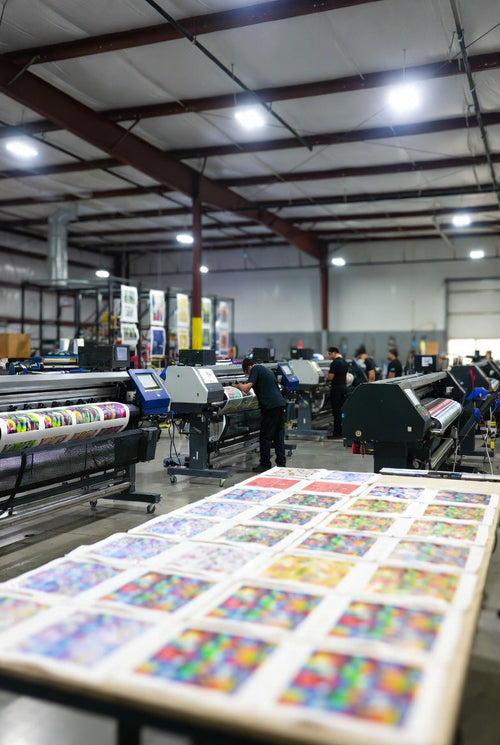
EZDTF Maker's DTF transfers are produced at its Chicago facility, then shipped to Detroit.
That makes the service useful for Detroit customers who need fast regional fulfillment, but you still need to leave enough time for the carrier and your heat-press workflow.
How does same-day DTF printing work for Detroit Halloween orders?
The process is simple: upload your artwork, complete the order before the applicable cutoff, have the transfer printed and quality-checked in Chicago, receive the shipment in Detroit, and press the transfer onto the garment. EZDTF Maker recommends PNG files with transparent backgrounds and a minimum resolution of 300 DPI for best results.
The rush-order workflow
1. Prepare your artwork
Make sure the design is actually ready to print.
2. Upload the file
A transparent-background PNG at 300 DPI is recommended.
3. Order before the cutoff
EZDTF Maker currently lists 11 AM CT as the cutoff for same-day shipping.
4. Production
The DTF transfer is produced in Chicago.
5. Shipping
The finished transfer is dispatched toward Detroit.
6. Press
Once it arrives, apply the transfer using the recommended garment-specific settings.
This workflow is particularly useful for Detroit print shops, clothing brands, event organizers, Etsy/Shopify sellers, and customers handling last-minute Halloween apparel.
How long does same-day DTF printing take from Chicago to Detroit?
Same-day production means the transfer can ship the same day when the order qualifies; it does not guarantee same-day arrival in Detroit. For planning purposes, allow approximately one business day for regional transit when the selected service supports it, while leaving additional buffer for carrier delays, weekends, order timing, and Halloween-season volume.
EZDTF Maker describes its Detroit service as same-day shipping from Chicago and its separate Detroit content states that orders placed before 11 AM CT are shipped the same day.
For a Halloween order, think about the timeline this way:
11 AM CT cutoff → same-day production/dispatch → carrier transit → Detroit delivery → heat pressing → customer pickup
If the shirts are needed Saturday morning, don't schedule the order around the absolute latest possible delivery.
Build a buffer.
Can you get DTF transfers near Detroit without a local production facility?
Yes. Detroit customers can order DTF transfers online even when the production facility is outside Detroit, as long as the provider offers fast shipping into the area. EZDTF Maker's public Detroit information identifies Chicago as the production location and promotes same-day shipping for qualifying orders.
This is important because a search for:
“same day DTF printing near me”
doesn't necessarily mean the printer must physically be inside Detroit.
For a rush order, what matters is:
- Production cutoff
- Production speed
- Shipping route
- Delivery method
- Transfer quality
- Your pressing time
A Chicago-to-Detroit route can therefore be relevant to Detroit customers looking for fast DTF fulfillment.
What types of Detroit Halloween orders can DTF transfers handle?
DTF transfers are suitable for Halloween T-shirts, hoodies, event shirts, small business merchandise, team apparel, school shirts, party apparel, and other custom garments where a ready-to-press full-color transfer is appropriate. EZDTF Maker supports individual transfers and gang sheets for different order sizes.
Common Detroit Halloween rush orders include:
- Halloween party shirts
- School Halloween shirts
- Staff shirts
- Costume-group shirts
- Haunted-house merchandise
- Trick-or-treat event shirts
- Small business Halloween drops
- Bar or restaurant staff apparel
- Halloween event merchandise
- Custom family Halloween shirts
- Last-minute customer orders
This is where DTF can be particularly useful: the same production workflow can support one custom design or a larger collection of designs.
Is DTF printing a good option for last-minute Halloween shirts?
DTF printing can be a practical option for last-minute Halloween shirts because the transfer arrives ready to press, eliminating the need to print the artwork yourself. It is especially useful when you already have blank apparel and a heat press available.
For a Detroit print shop, the workflow can look like:
Customer order → artwork approval → DTF transfer order → Chicago production → Detroit delivery → press → customer pickup
You don't need to wait for a traditional screen-print setup for every small custom design.
You also don't need to purchase a DTF printer just to handle an urgent customer order.
What heat press settings should you use for DTF Halloween shirts?
For 100% cotton, EZDTF Maker's current pressing guide lists approximately 310–320°F, 12–15 seconds, medium pressure, and a cold peel. Polyester, 50/50 blends, nylon/spandex, denim, and canvas use different settings, so the garment-specific instructions should take priority.
The current guide lists:
Fabric Temperature Time Pressure Peel100% Cotton 310–320°F 12–15 sec Medium ColdPolyester 260–280°F 8–10 sec Medium Cold50/50 Blend 300–310°F 12–15 sec Medium ColdNylon/Spandex 250–270°F 8–10 sec Light ColdDenim 320°F 15–18 sec Firm Cold
EZDTF Maker also recommends allowing the transfer to cool completely before peeling and using parchment paper for a final press for added durability and feel.
Important: don't use 310°F automatically for every garment.
The fabric matters.
How durable are DTF transfers for Halloween shirts?
EZDTF Maker states that its DTF transfers are designed for durability of 100+ washes when properly applied and cared for. Actual garment life can vary based on fabric, pressing, washing, drying, and care conditions.
For customer orders, correct pressing is just as important as the transfer itself.
If you're handling 30 Halloween shirts, use a consistent process:
Same temperature → same pressure → same time → proper cold peel → final press
That reduces the chance of one shirt looking different from the next.
How can Detroit print shops handle multiple Halloween designs quickly?
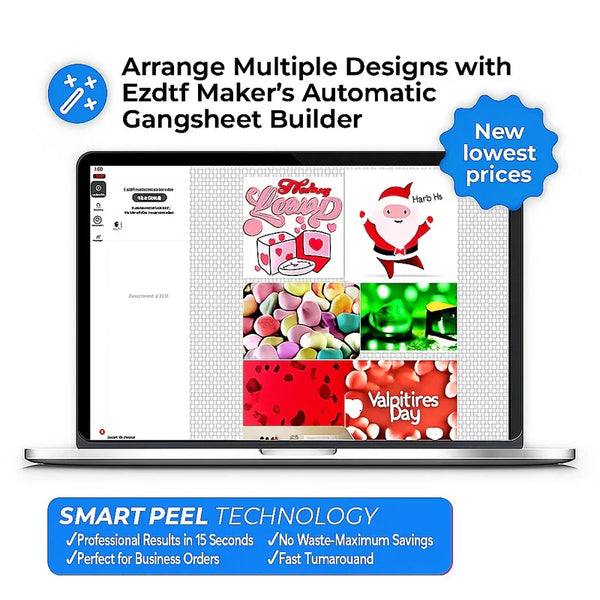
Detroit print shops can use a DTF gang sheet to arrange multiple Halloween designs on one sheet instead of ordering every design as a completely separate transfer. EZDTF Maker's Gang Sheet Builder allows users to resize, duplicate, arrange, and optimize multiple designs on one sheet.
For example, imagine a customer needs:
- 10 skull designs
- 10 pumpkin designs
- 10 Halloween text designs
- 5 staff logos
Instead of manually managing every transfer, you can organize compatible artwork into a gang-sheet layout.
EZDTF Maker's current builder also provides a real-time fit guide and supports mixed designs on a sheet.
Product Card — DTF Gang Sheet Builder
DTF Gang Sheet Builder
Arrange multiple Halloween designs, resize artwork, and optimize your transfer sheet before ordering.
CTA: Build Your Gang Sheet
Build a DTF Gang Sheet
When should you use DTF transfers by size instead of a gang sheet?
Use DTF Transfers by Size when you have individual designs that don't need to be arranged together, while a gang sheet is more useful when you have multiple compatible designs or repeated artwork. EZDTF Maker currently offers both ordering paths.
Choose by-size transfers when:
- You need one specific design.
- You already know the exact dimensions.
- You don't need multiple designs together.
- You want individual transfers.
Choose a gang sheet when:
- You have multiple Halloween designs.
- You're making shirts for a team.
- You're fulfilling several customer orders.
- You want to optimize printable space.
For a rush Halloween job with 25 different customer designs, the gang-sheet workflow can be especially useful.
Can you order a small DTF Halloween job without setup fees or minimums?
Yes. EZDTF Maker currently advertises $0 setup fees and no minimum order requirement, allowing customers to order a small number of transfers instead of committing to a large production run.
That matters for last-minute Halloween work.
A Detroit seller might receive:
1 custom customer order
while a print shop might receive:
100 Halloween shirts
The ability to order according to the actual job size gives both customers more flexibility.
What should you do if you need Halloween shirts tomorrow?
If the shirts are needed tomorrow, finalize the artwork immediately, confirm the garment and transfer size, place the DTF order before the applicable cutoff, select a shipping option that supports the deadline, and reserve enough time to press the shirts after delivery.
Use this emergency checklist:
Before ordering
- Final artwork approved
- PNG/PSD file ready
- 300 DPI checked
- Background removed where appropriate
- Transfer dimensions confirmed
- Shirt quantity confirmed
- Garment type confirmed
- Delivery address checked
After ordering
- Confirm production status
- Track shipment
- Prepare blank shirts
- Prepare heat press
- Check temperature
- Keep parchment available
- Leave time for quality control
The biggest mistake with rush printing is assuming that same-day production means the finished shirts will be in your hands the same day.
For Detroit customers, the transfers are produced in Chicago and then shipped.
Can you order a $10 DTF sample before a larger Halloween order?
Yes. EZDTF Maker lists a custom DTF sample pack at $10, which can be useful when you want to test artwork and application before committing to a larger Halloween order.
A sample is particularly useful when:
- You are testing a new garment.
- You are unsure about the artwork size.
- You're testing a photo-heavy design.
- You're trying DTF for the first time.
- You want to confirm the pressing workflow.
What Halloween designs work well for Detroit customers?
Original Halloween graphics, local event themes, business logos, spooky typography, pumpkins, ghosts, skeleton-inspired original artwork, and custom illustrations work well for Detroit Halloween apparel. For commercial orders, use artwork that you own or have permission to reproduce.
Ideas include:
Detroit Halloween Event
“Detroit Halloween 2026”
with original spooky city-inspired artwork.
Small Business
“Halloween Drop 2026”
with the brand's own logo and Halloween graphics.
School
“Halloween Spirit Day”
with an original school-approved design.
Party
“Detroit Halloween Crew”
with a custom event date.
Restaurant or Bar
“Halloween Staff 2026”
with the business logo and original seasonal artwork.
Avoid copying Disney characters, NFL logos, movie characters, or other protected designs unless you have the necessary rights.
What file should you upload for a rush DTF order?
A transparent-background PNG at 300 DPI is the recommended starting point for a rush DTF order, although EZDTF Maker also accepts JPG, PDF, PSD, and AI files. The current upload guide says not to mirror the artwork because the production workflow handles mirroring.
Quick artwork checklist
Recommended:
- PNG
- Transparent background
- 300 DPI minimum
- Correct final dimensions
- Clean edges
- Final spelling checked
- No unnecessary background
Avoid:
- Low-resolution screenshots
- Incorrect dimensions
- Unapproved artwork
- Last-minute text changes
- Mirroring the design yourself
A five-minute artwork check can save a much bigger rush-order problem.
Who can use same-day DTF printing near Detroit?
Same-day DTF printing can help Detroit clothing brands, print shops, event organizers, schools, teams, small businesses, party planners, and individual customers who need ready-to-press transfers quickly. EZDTF Maker's Detroit content specifically positions its service for businesses, clothing brands, print shops, event merchandise, and bulk orders.
It can be especially useful for:
Clothing brands
Handle unexpected customer orders without owning DTF printing equipment.
Print shops
Outsource transfer production when your own workflow is overloaded.
Event planners
Handle Halloween merchandise and event apparel.
Schools and teams
Create seasonal shirts for short deadlines.
Small businesses
Accept custom orders without purchasing a DTF printer.
Individual customers
Order a custom design for a party or Halloween event.
What is the fastest way to handle a last-minute Halloween DTF order in Detroit?
The fastest workflow is to submit a production-ready design before the same-day cutoff, use the correct transfer size, choose a shipping option appropriate for the deadline, and prepare the garments and heat press while the transfer is in transit. EZDTF Maker currently lists an 11 AM CT same-day shipping cutoff and produces DTF transfers in Chicago.
Rush-order formula
Ready artwork
↓
Order before 11 AM CT
↓
Same-day Chicago production
↓
Fast shipping to Detroit
↓
Receive transfer
↓
Press
↓
Inspect
↓
Customer pickup / delivery
This is the workflow Detroit businesses should think about when they search for same day DTF printing near me.
Ready for a Last-Minute Halloween Order?
If you already have your artwork ready, start with custom DTF transfers and check the current same-day cutoff before ordering.
Need several Halloween designs? Use the DTF Gang Sheet Builder.
Need one specific transfer size? Choose DTF Transfers by Size.
Not sure how your artwork will press? Start with the $10 DTF Sample Pack.